
How to show or hide Comment Analysis sections
Use the section toggles on the Comment Analysis card to show only the insight sections you need. You can switch each section on or off independently.
Show or hide Comment Analysis sections
Open an analysis you created in the past, or create a new one
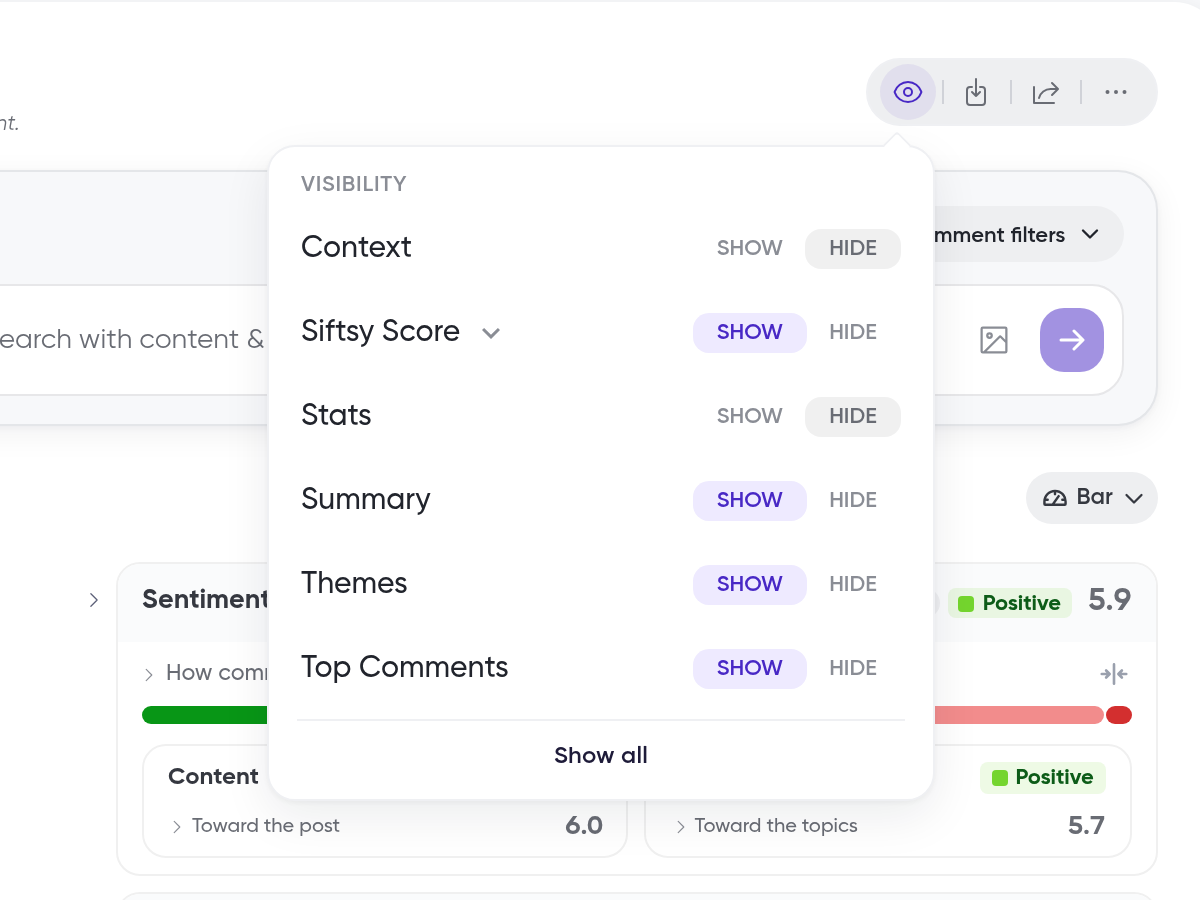
Click the show/hide sections icon in the toolbar above the Comment Analysis card
Toggle any of the following sections on or off in the panel that appears:
Context
Siftsy Score
Stats
Summary
Themes
Top Comments
To turn all sections on at once, click Show All
Your analysis updates immediately to reflect your selections.
The Breakdown card is separate from these sections and appears as Go deeper with Breakdown. See How to use the analysis breakdown and language filter.
What's next
Learn what each section shows in How to understand comment insights.
Was this helpful?
Was this helpful?