
How to track brand comments and reply threads
Track your brand's comment activity and see how audiences respond to it by filtering posts in Siftsy for a specific username and reviewing the threaded replies around those comments.
Before you start
In order to analyze brand comments in a comment section, first you need to upload the target posts that you want to analyze into Siftsy.
Once you have done so and selected the posts you want to analyze in Siftsy, you can follow the following steps to understand the brand comments and the reaction to them.
Filter for a username and include threads
Open the campaign and select the post you want to review
In the Explore card, click Select Filters
Choose Usernames and enter the handle you want to track
Set the filter to include that username
Select the include threads option to surface replies and reactions to that user's comments
Click away from the filter panel to apply the filters
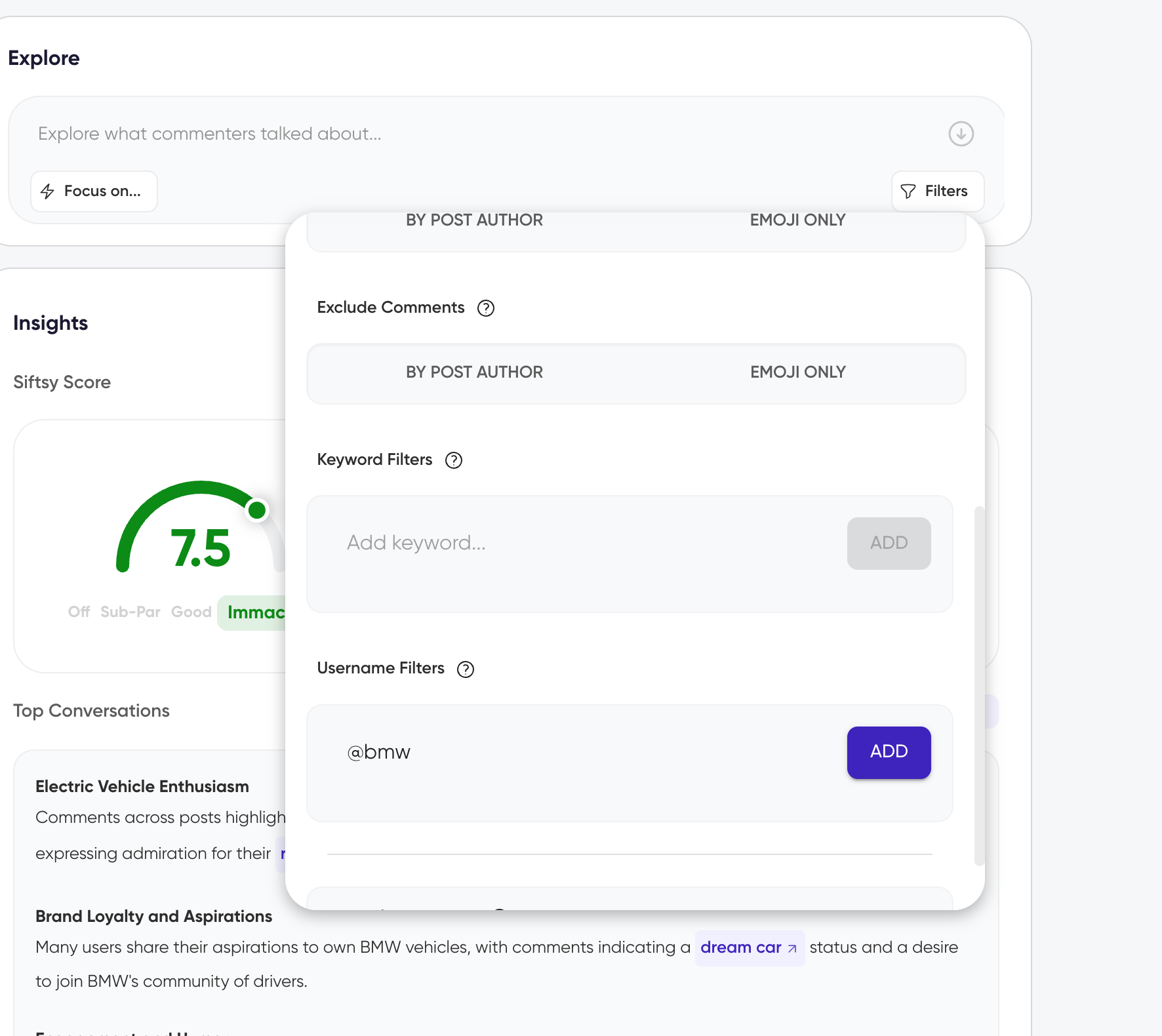
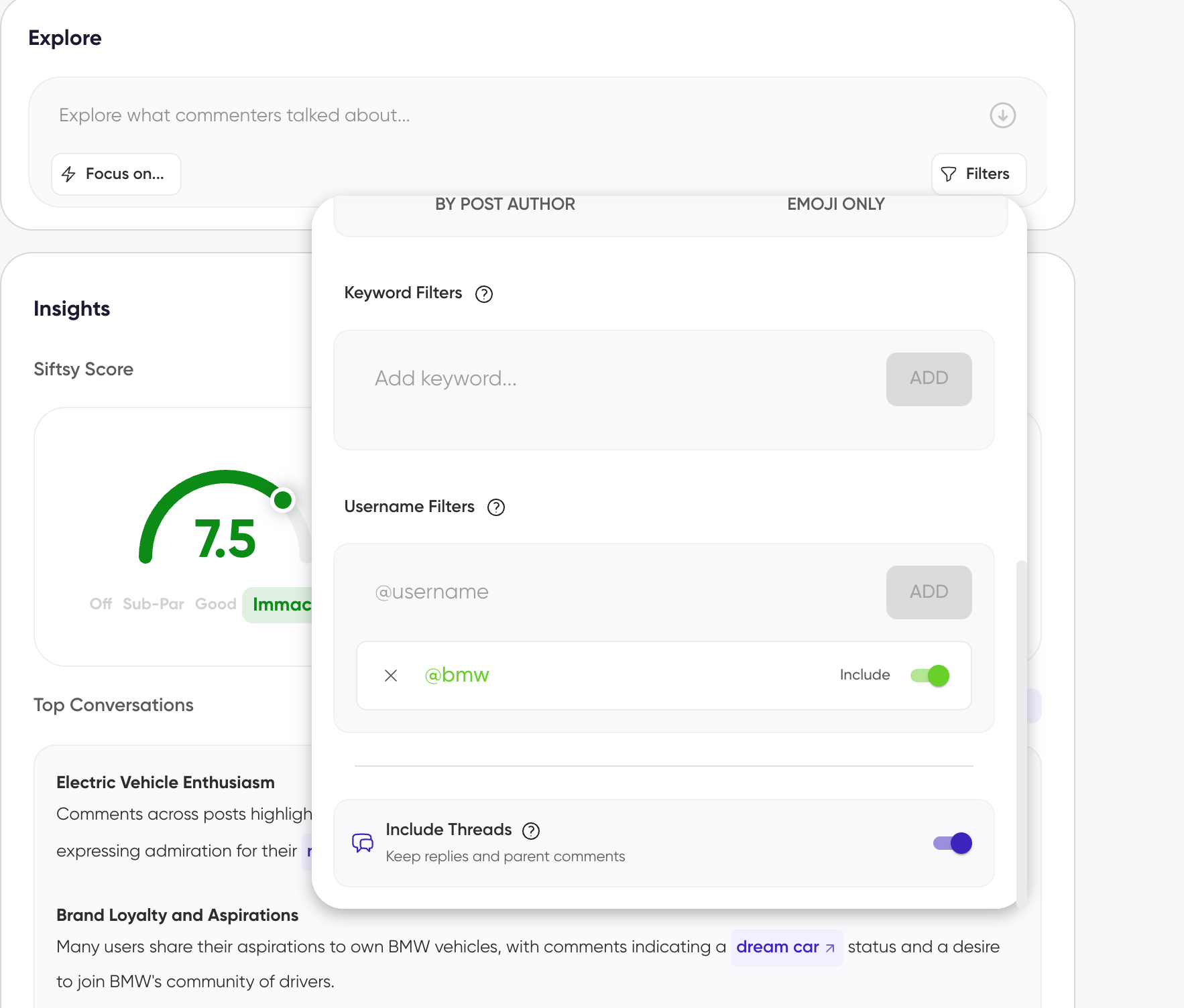
Siftsy will create a new Insights tab for that filtered view, surfacing comments and thread tied to that username.
View replies in threaded order
To view the brand comments in their respective threads in the comment section of the filtered analysis, switch the view to threaded.
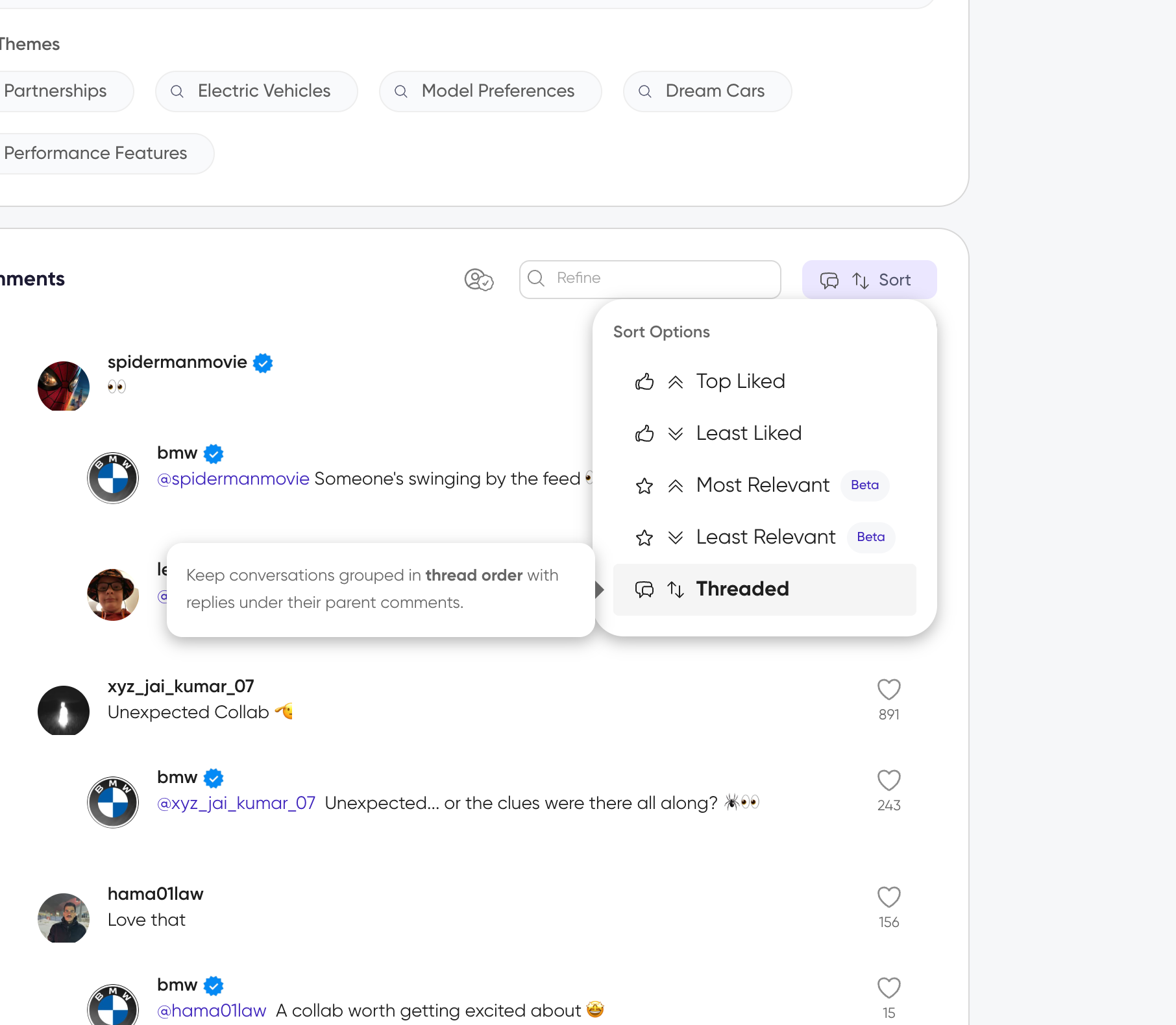
This restores the natural reply order, so you can read conversations as they happened and see how the audience reacted to each brand comment in context.
What you'll see
A new analysis tab appears below the Explore card with:
Comments posted by your target username on that post
Nested reply threads and reactions linked to those comments when include threads is on
Threaded view for following the conversations
Use this workflow to audit your community team's replies, monitor how audiences respond to brand voice, or document stakeholder conversations for reporting.