
How to add posts to multiple collections
Use this when you want to assign existing posts to additional collections. You'll select posts from the table and use the collection selector to add them to one or more existing collections, or create a new collection during the same step.
Create a new collection if needed
If the collection you want to add posts to does not exist yet, create it first in the post Selection Bar up top. Click the collection field, and start typing a new collection name, then select the + New button to finalize creation.
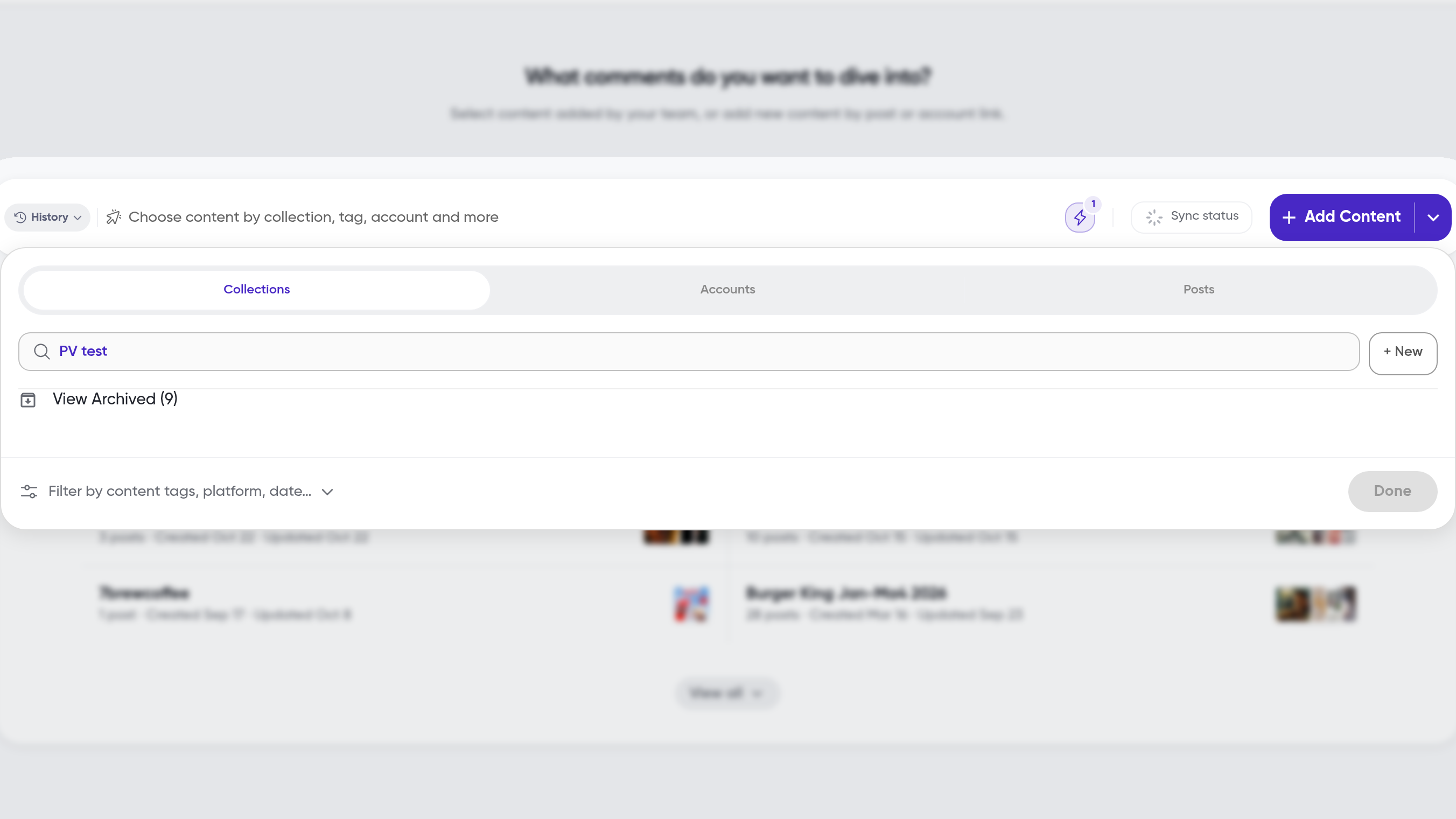
Once you have a target collection, select the Posts tab on the top right of the home page to go into the post table.
Select posts
Navigate to the post table for the collection or view that contains the posts you want to add to other collections
Select the posts you want to reassign
Use the checkboxes in each row to select individual posts
Use the checkbox in the table header to select all posts
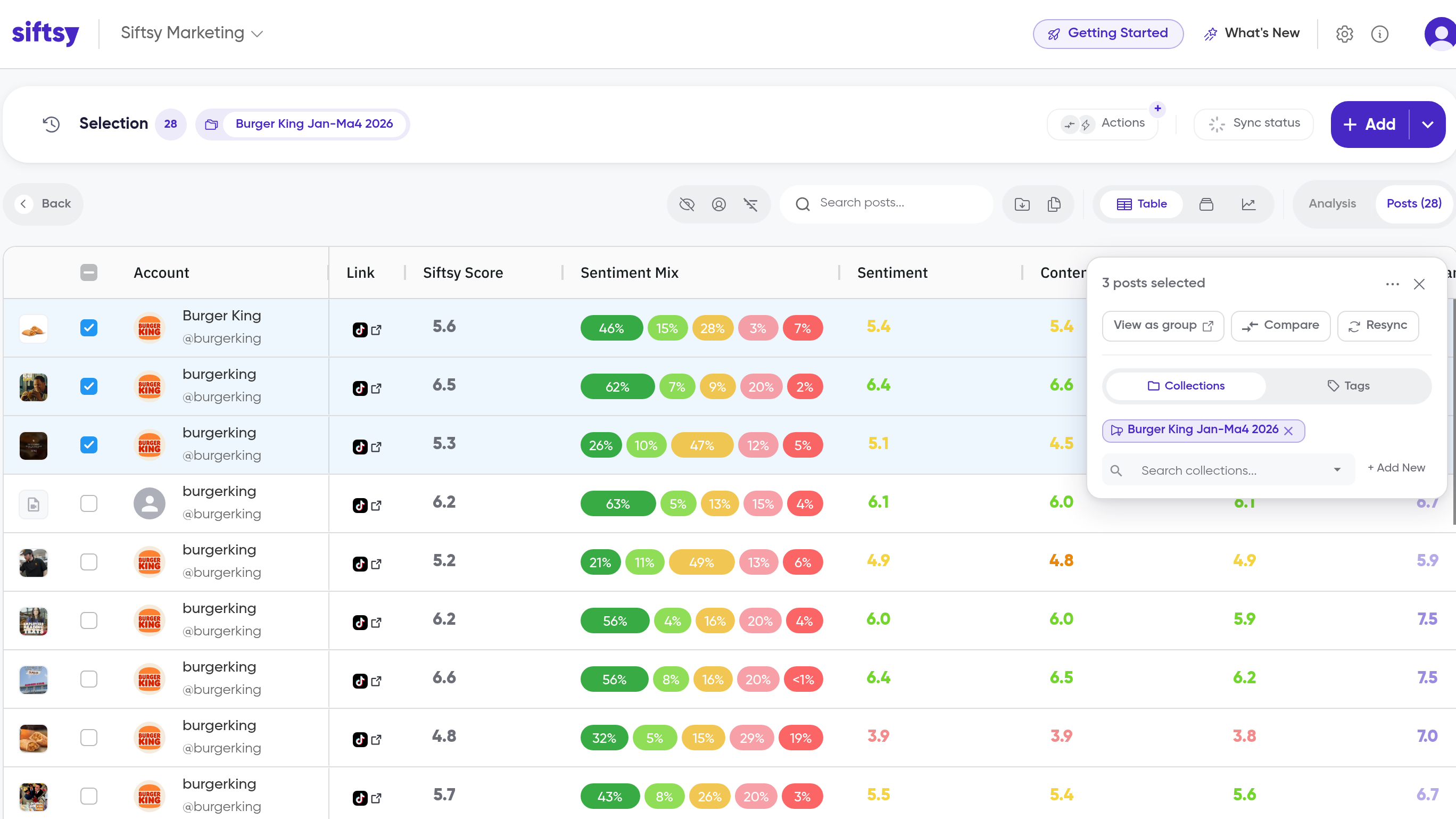
Add to collections
In the panel that appears on the right, find the Collections section
Click the Collections field and select one or more existing collections from the dropdown
The selected collections will appear in the panel
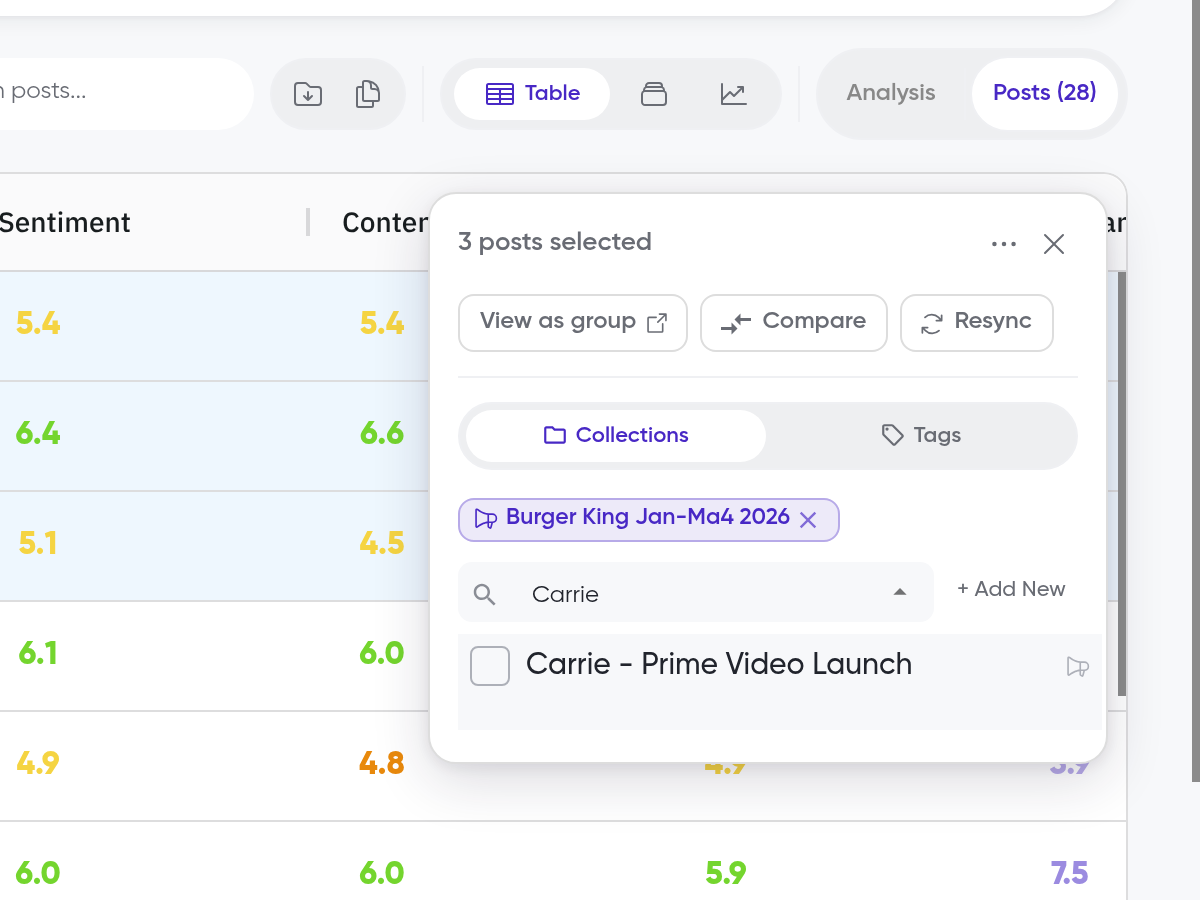
The posts are now added to the collections you selected. You can find them by opening each collection and viewing its post table.
What's next
Learn how to create collections while uploading posts in How to create collections. If you need to add new posts rather than reassign existing ones, see How to add posts or How to bulk add posts.