
How to create account lists
Account lists combine creators, brands, and media outlets into named lists for repeat analysis and comparisons. Create lists like Owned Accounts, Editorial Accounts, or Competitors to simplify filtering in collections that mix coverage of the same campaign or subject.
Create an account list
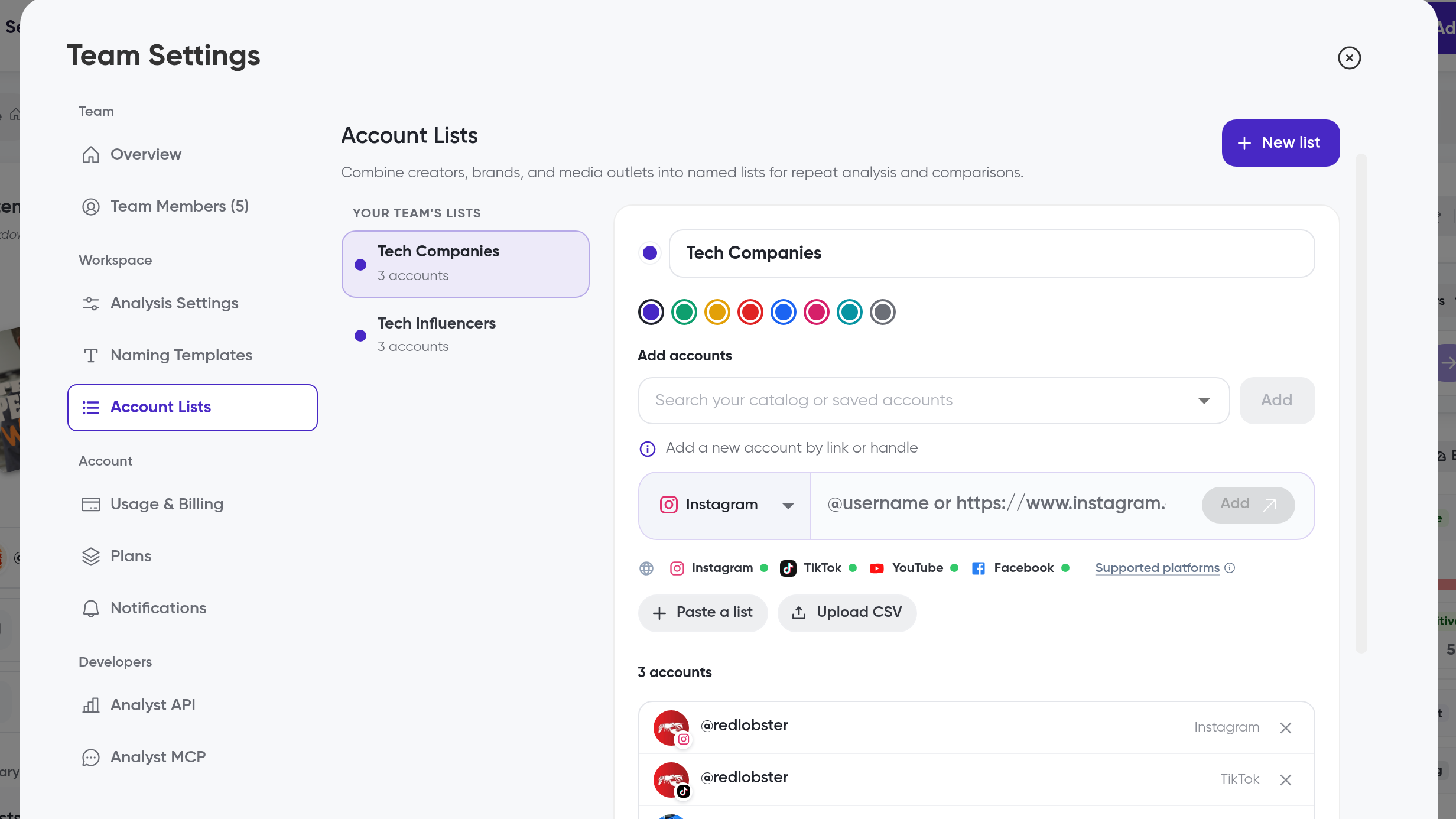
Click the gear icon to open Team Settings
Under Workspace, click Account Lists
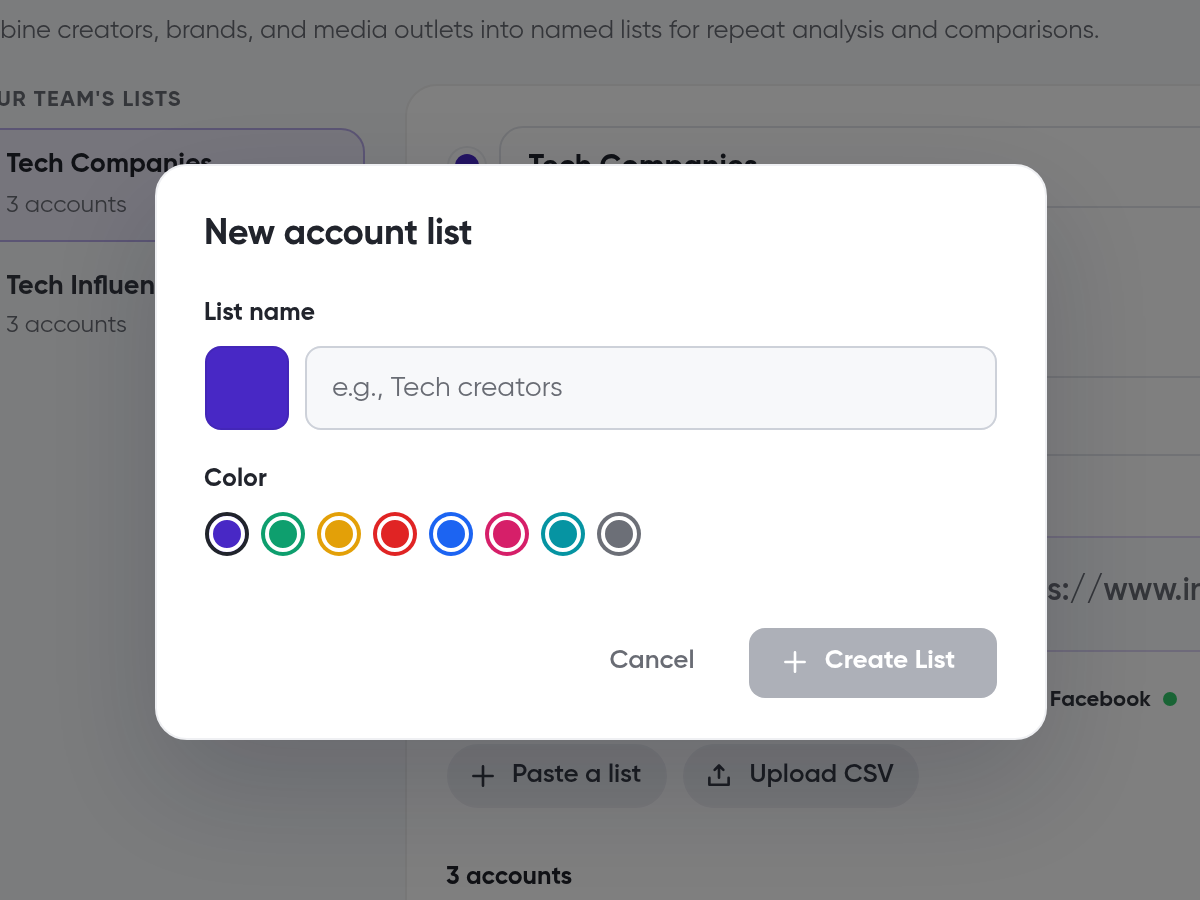
Click New list
In the New account list dialog, enter a List name and choose a Colour
Click Create List
Add accounts to a list
With the list selected, add accounts in any of these ways:
Add accounts: search your catalog or saved accounts
Add a new account by link or handle: pick the platform (Instagram, TikTok, YouTube, or Facebook) and paste the username or URL
Paste a list: paste several accounts at once
Upload CSV: upload a file of accounts
To remove a list, click Delete list.
Compare account lists in Compare Mode
Click Add Content, then Compare
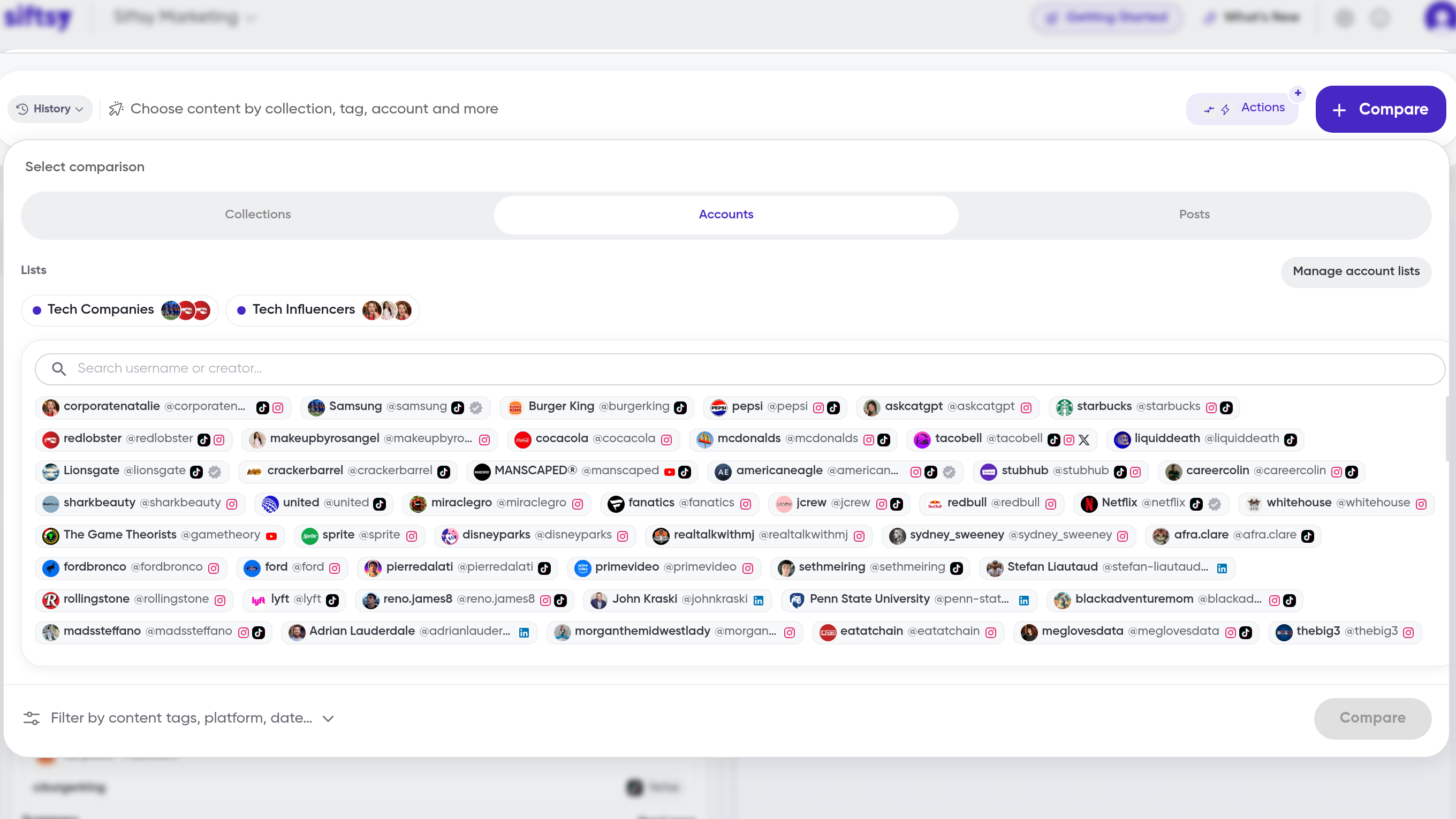
In Select comparison, open the Accounts tab
In the Lists row, click the list you want to analyze
Click Manage account lists to edit your lists
Click Compare
In the second column, click Click to select comparison and choose another list
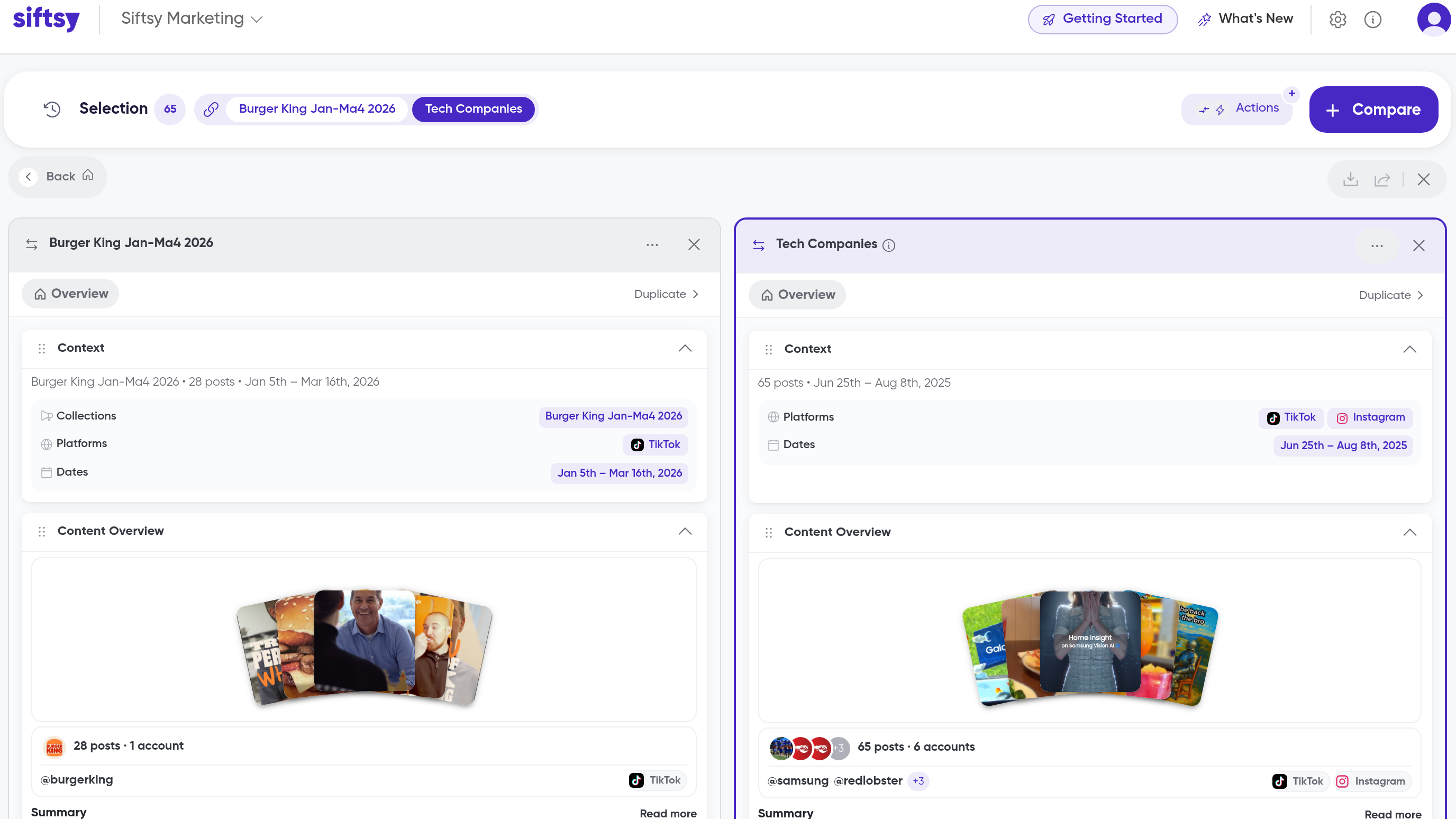
Use account lists for owned-versus-earned or UGC vs. Influencer comparisons.
What's next
Account lists pair with the collections you group posts into. See How to create collections and How to add posts by account link.