
How to create collections
Create a collection to group posts by campaign, research project, competitor watch, or any structure your team uses. You can create one from the content selection bar at the top of the home page, or while you add content.
Create a collection while adding content
You can also set up a collection as part of the Add Content flow. Click Add Content, add your posts, and work through the Upload, Categorize, Automations, and Confirm stages. See How to add posts for the full walkthrough.
Create a collection from the content selection bar
Use this when you are building an analysis and need a new collection for the posts you are selecting. Siftsy has 23 collection types, and Campaign is the default.
On the home page, click the top bar that says Choose content by collection, tag, account and more
In the selection panel that appears, click the search field next to Collection
Type a name for your new collection
Click New
In the Create New Collection dialog, confirm the Collection Name and click Next
Choose a Collection Type. The default is Campaign, and there are 23 types to choose from, including Campaign, Research, and Competitor
Set the Refresh schedule to 7 days or 30 days
Pick a color for the collection type
Optionally, use the naming template option to fill the collection name from one of your team's templates
Click Create Collection
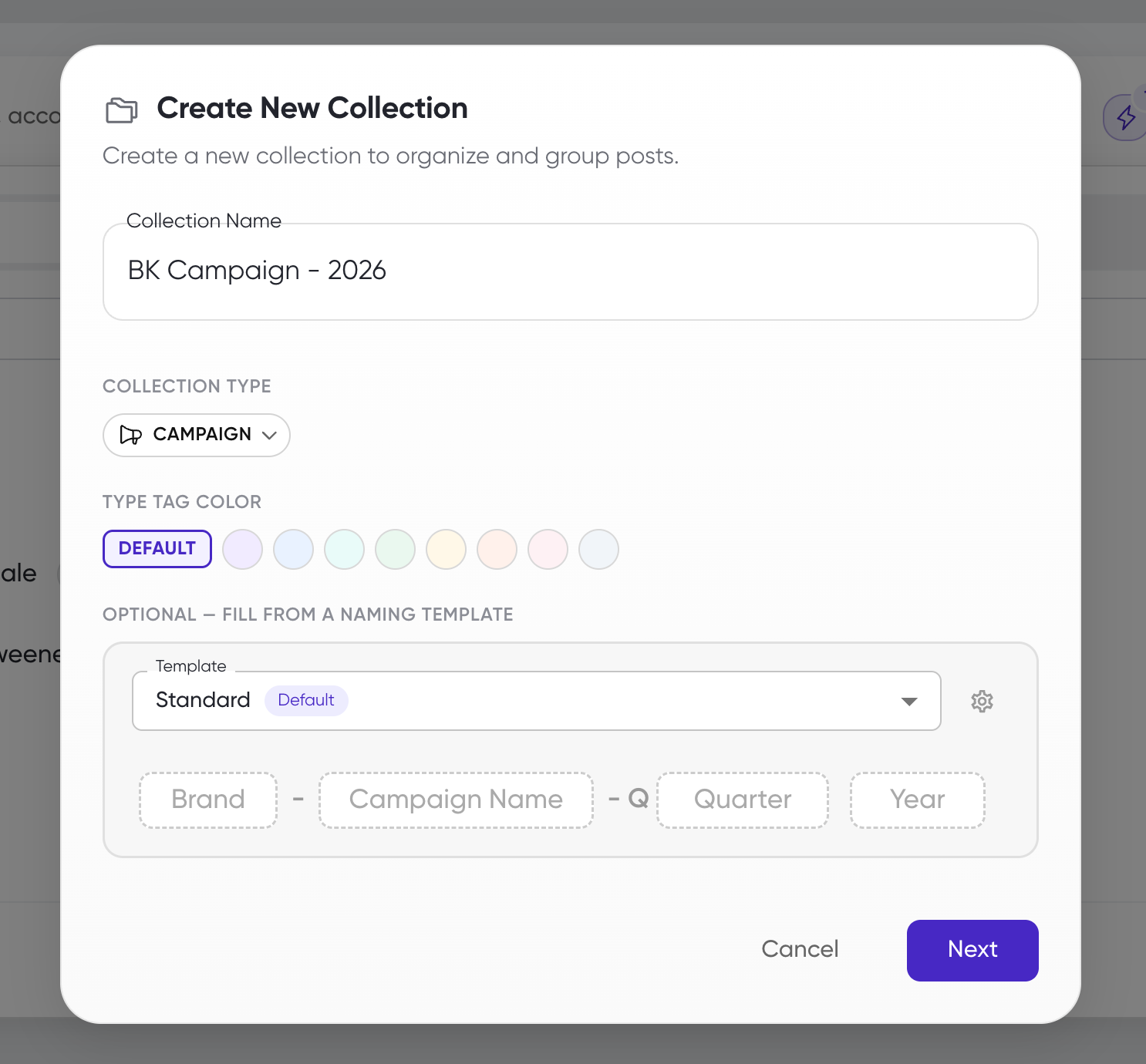
The new collection appears in the collection list and is selected for the analysis you are creating.
What's next
Edit names, add groups, or archive collections in How to edit collections.
Set up team-wide naming templates in How to use naming templates.
Build a report from your collection in How to start analyzing comments.