
How to use the Activity Feed
The Activity Feed is one timeline of everything your team does in Siftsy, including uploads, collection changes, automation runs, API actions, and shared briefs. You can filter it, search it, and get email digests.
Open the Activity Feed
Go to your team home page
Click the Activity tab (next to Content)
Entries are grouped by day (Today, Yesterday, and so on). Each entry shows details like Automated · 1 credit spent and links such as Open automation, Open post, Open collection, or Open brief.
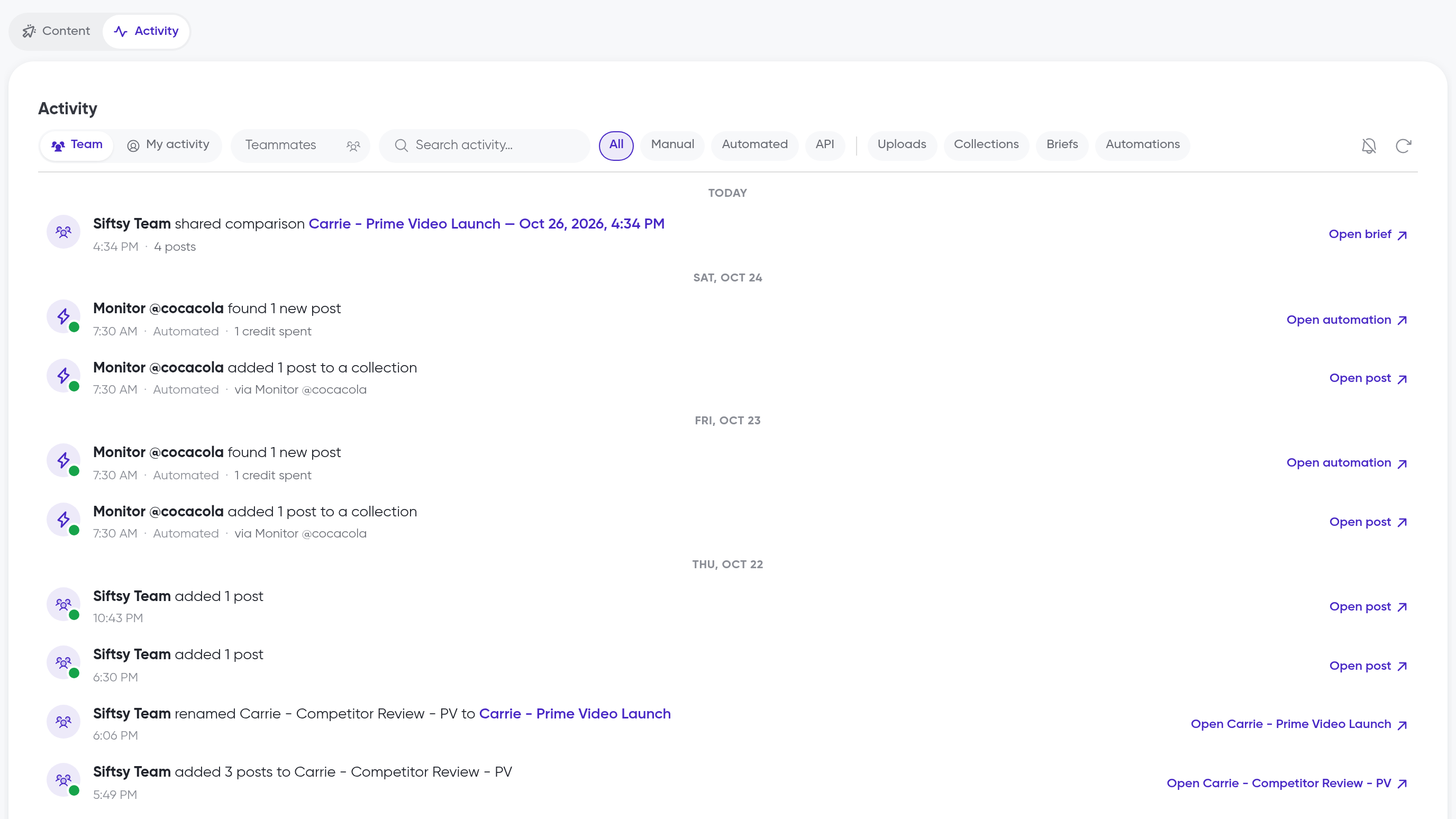
Filter and search activity
Team / My activity: switch between everyone's activity and just yours
Teammates: show activity from specific teammates
Search activity…: search by keyword
Source chips: All, Manual, Automated, API
Type chips: Uploads, Collections, Briefs, Automations
Refresh activity: load the latest entries
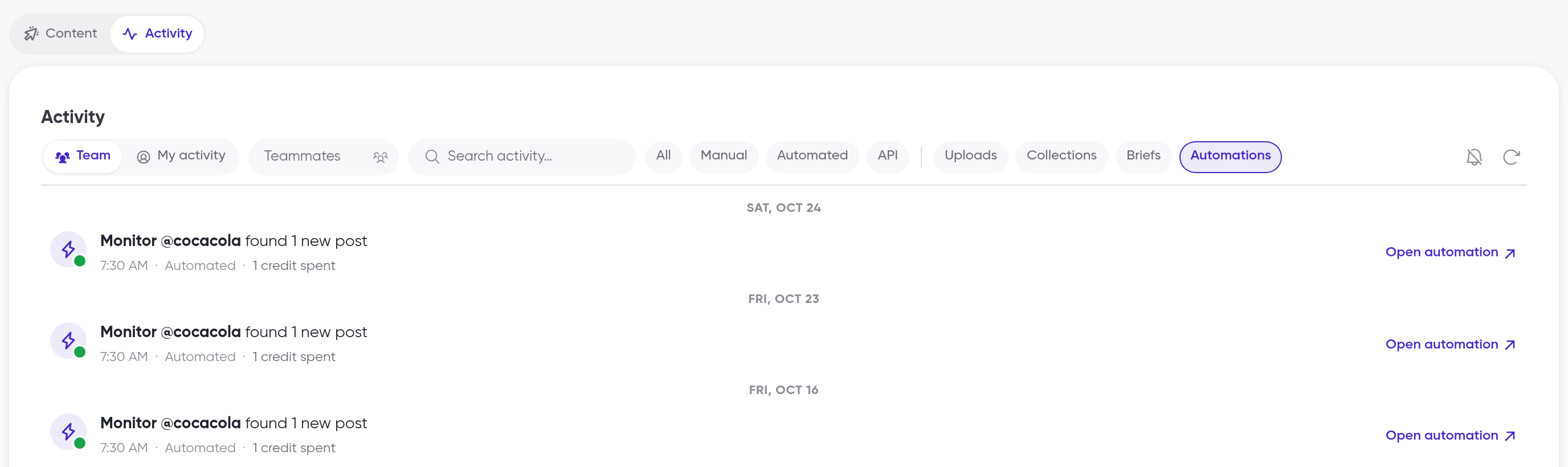
If nothing matches your search or filters, you'll see Nothing matches…. Click Clear filters to reset.
Get email updates
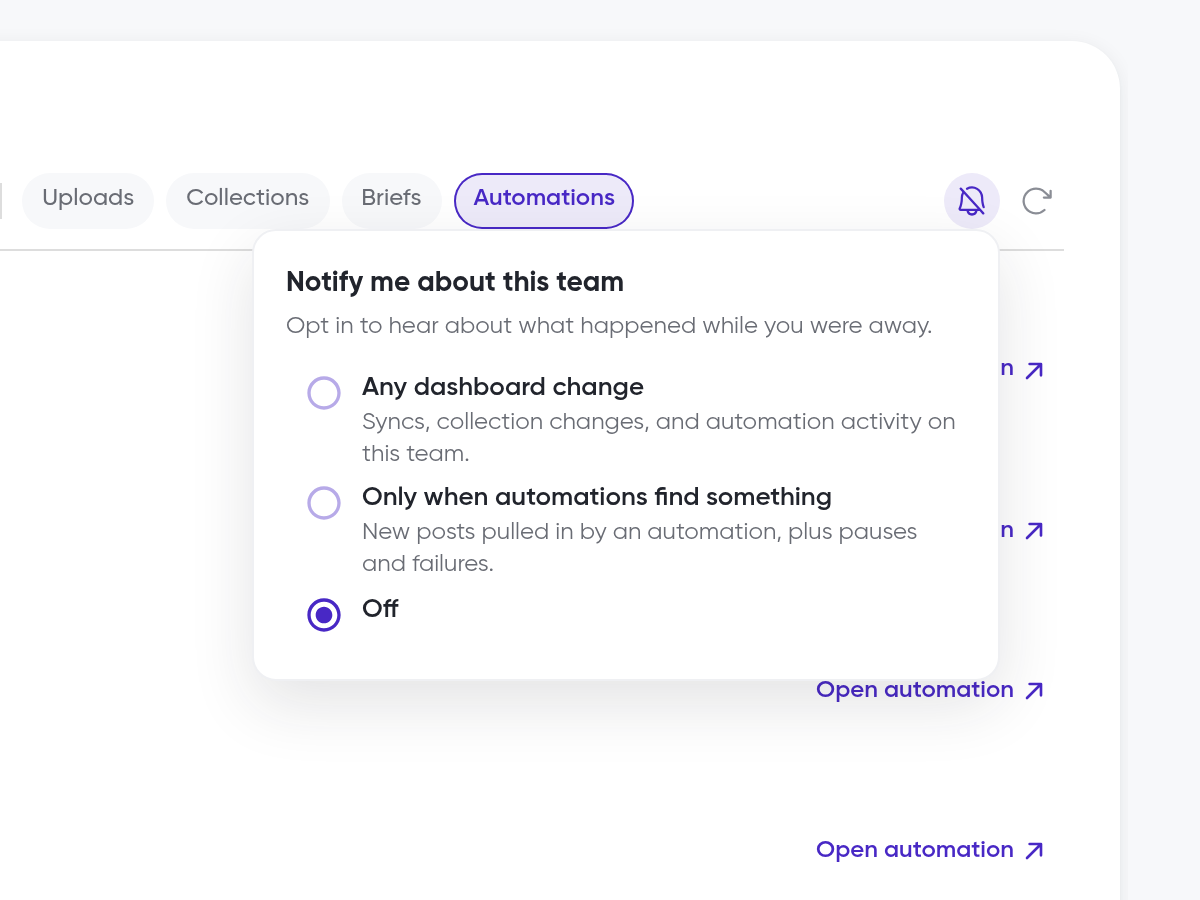
In the Activity Feed, click the bell button to open notification settings
Under Notify me about this team, choose:
Any dashboard change: syncs, collection changes, and automation activity
Only when automations find something: new posts pulled in by an automation, plus pauses and failures
Off
Under How often, choose As it happens, Daily digest, or Weekly digest
With As it happens, emails go out within a few minutes of new activity.
What's next
Automation runs show up in the feed as they happen. Set them up in How to automate post syncs and monitor accounts, and see where the Activity tab sits in How to navigate the home page.