
How to purchase a plan
Use this guide to choose and subscribe to a Siftsy plan for your team. Each plan includes a set number of team members, Monthly Analyzed Posts (MAPs), and features.
Purchasing a team plan
From your Siftsy dashboard, click the settings icon in the top menu bar
Inside the Team Settings panel that appears, select the Plans tab
Review the available plans: Growth, Powerhouse, and Enterprise
Click Subscribe under the plan you want to purchase
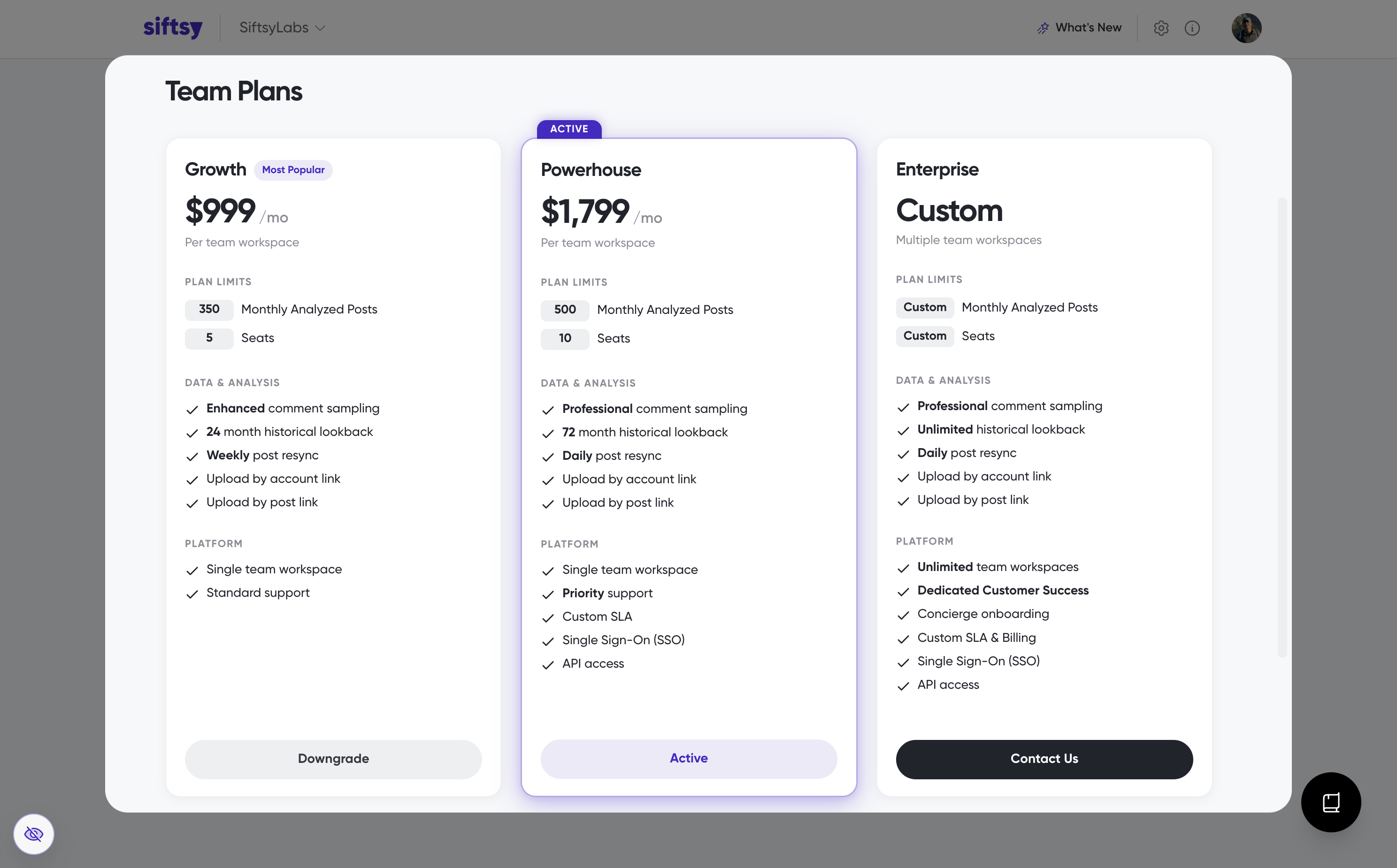
If you need increased limits or multiple teams click Contact Us under the Enterprise plan, or contact us directly here.
What's next
Invite your team to start using Siftsy in How to add teammates to your team, or if you want to start uploading posts, see How to upload posts.
Was this helpful?
Was this helpful?