
How posts are processed
After you upload posts, Siftsy fetches comments and analyzes them. Processing time varies based on platform and comment volume. This guide explains what happens after you click Analyze.
Processing timeline
When you upload posts for analysis, processing can take anywhere from 10 minutes to a few hours. The time depends on:
Platform — Different social platforms have different API response times
Comment volume — Posts with thousands of comments take longer
Queue depth — If many uploads are happening simultaneously, your posts may wait in queue
You don't need to stay on the page — processing continues in the background. Return to your analysis when processing completes.
Post Status panel
After you upload posts, a Post Status panel appears showing the processing state of each post. This panel lets you track which posts are still processing and which are complete.
Use the status panel to:
See which posts are actively being fetched or analyzed
Identify posts that may need attention
Track overall upload progress
Reopen the panel any time from the toolbar by clicking Sync status.
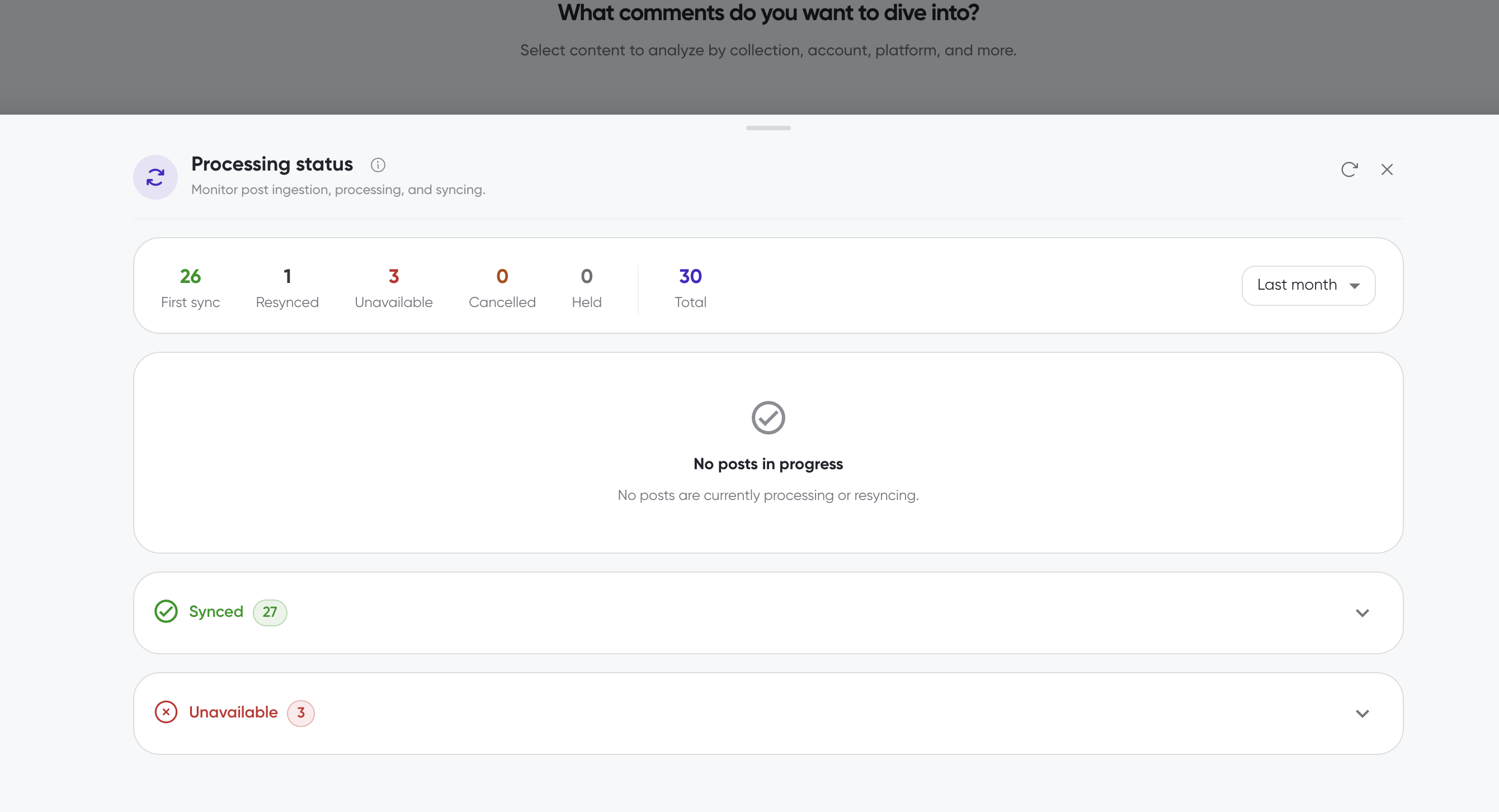
The panel summarizes your posts by status — first sync, resynced, unavailable, cancelled, and held — for the selected time range, and shows when nothing is currently processing.
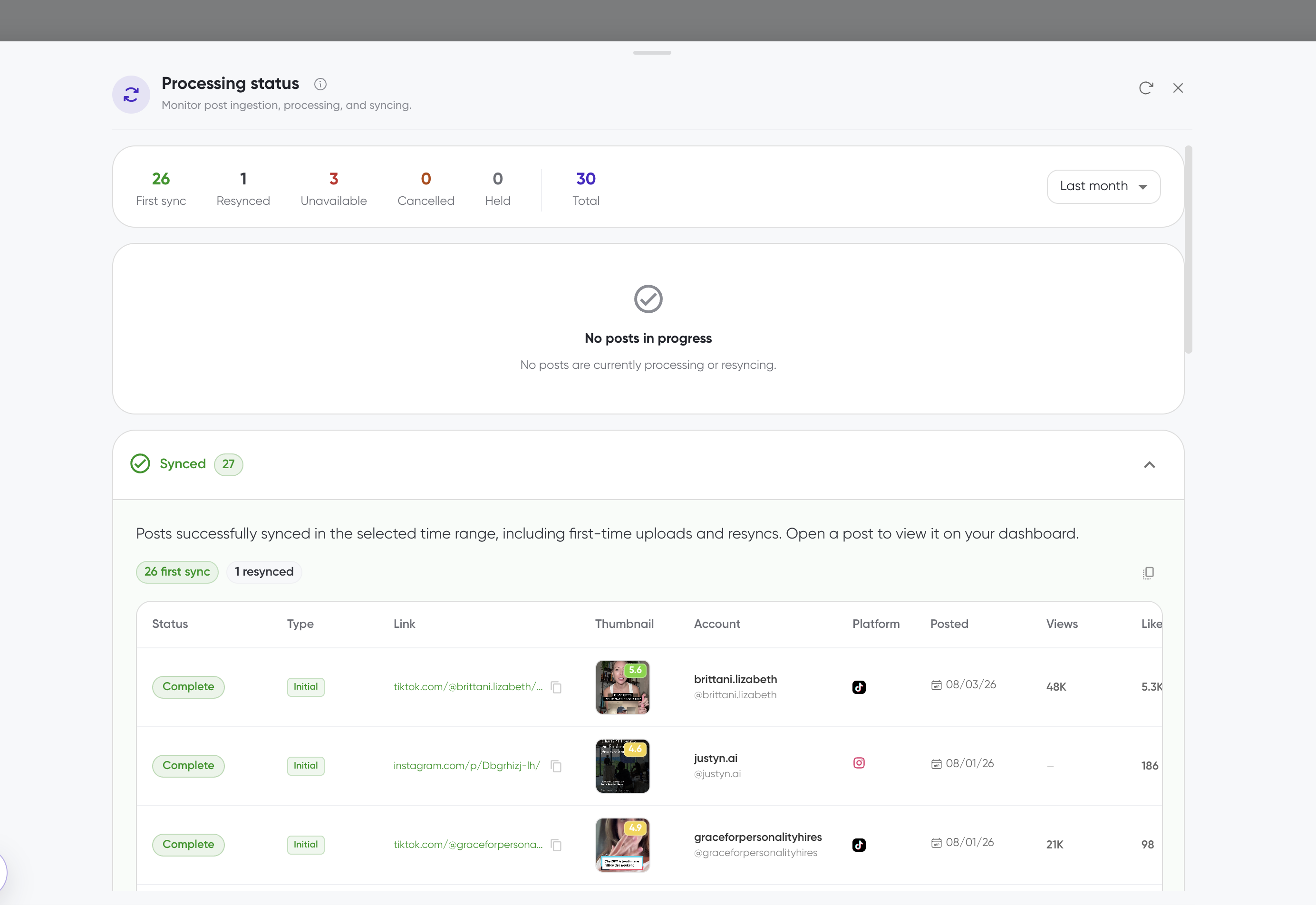
Expand each status section to see the individual posts, with columns for status, account, platform, posted date, views, and likes.
What happens during processing
Siftsy performs these 3 steps for analysis:
Data Gather — The platform is contacted to retrieve the post and its comments
Data Read — The platform ingests the full scope of post data, comment data, and additional context.
Data Analysis — Comments are scored for Siftsy Score and supporting sentiment, relevance, and consensus scores.
Once processing completes, the post appears in your analysis with insights ready to explore.
If processing takes longer than expected
Occasionally, posts may take longer than usual to process. This can happen when:
The social platform is experiencing high load
A post has an unusually high comment volume
There are temporary API limitations
If a post seems stuck:
Wait a few more minutes — some posts legitimately need extra time
Try refreshing the page to see if the status has updated
If the post still hasn't processed after several hours, you can re-upload it
Posts that cannot be processed
Only public posts (including posts with boosted spend) can be analyzed. Posts that cannot be processed include:
Private posts — Content from private accounts
Dark posts or Targeted Ads — Content that is solely delivered an an ad (boosted public posts do qualify)
Deleted posts — Content that has been removed from the platform
Invalid links — URLs that don't point to valid posts
If a post cannot be fetched, it won't appear in your analysis and doesn't count against your credits.
What's next
Once processing completes, explore your results in How to start analyzing comments, or check your upload limits in How to add posts.