
How to manually upload content
Use Manual Upload to analyze a post Siftsy can't fetch, such as content from a platform that isn't supported. Comments are optional.
Each upload counts toward your Monthly Analyzed Posts (MAPs) limit. The upload wizard shows a MAPs meter with what you have left.
Start a manual upload
From your dashboard, click Add Content
Select Manual Upload
Click Add post
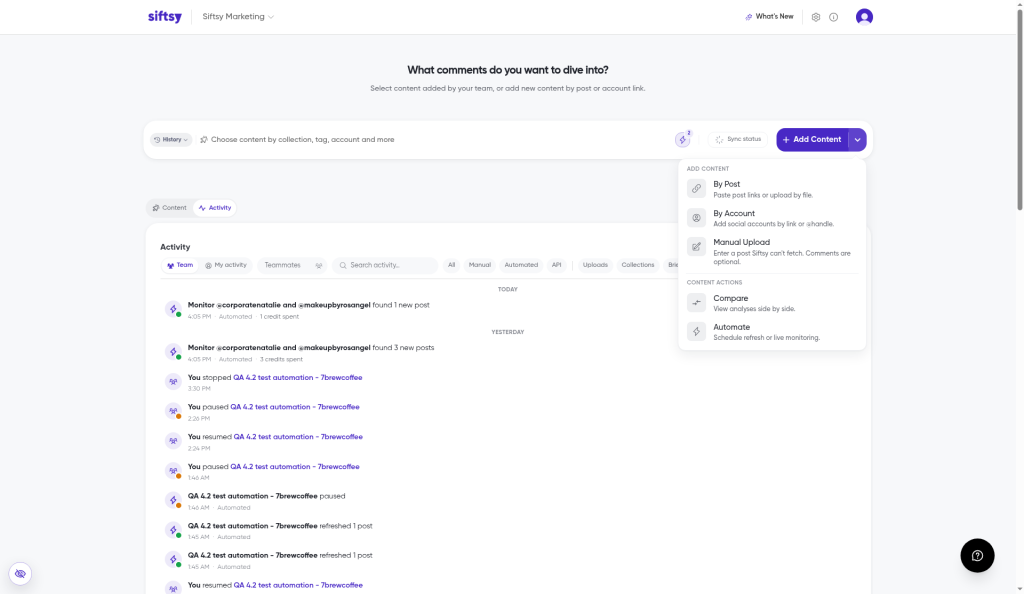
The wizard has three steps: 1 Post, 2 Categorize, and 3 Confirm.
Add the post
Choose one option:
Upload screenshot — Siftsy reads the account, platform, caption, counts, and posted time from your screenshot
Add manually — fill in the fields yourself:
Account name and @username
Platform, Type, and Posted date
Title (optional) and Post link
Media: up to 20 images or 1 video, in carousel order
Caption
Views, Likes, Comments, Shares, Saves, and Reposts
Analysis Details
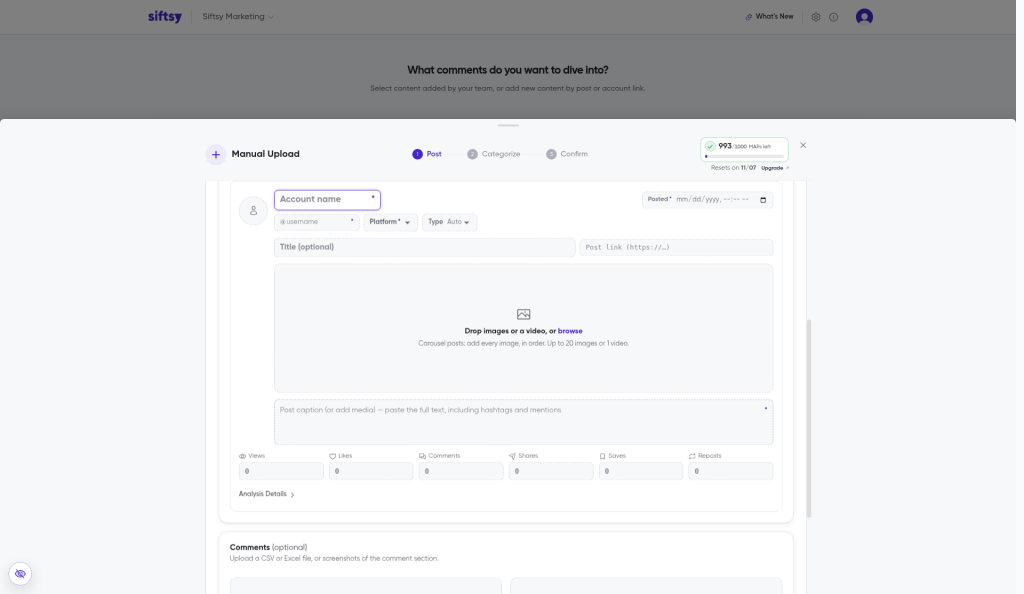
Required fields: account name, username, posted date, platform, and either a caption or media.
Add comments (optional)
CSV or Excel — include the columns
text,username,likes,postedAt, andreplyTo. Click Download CSV template for a starter fileScreenshots — upload up to 20 screenshots in order. Overlapping comments are merged
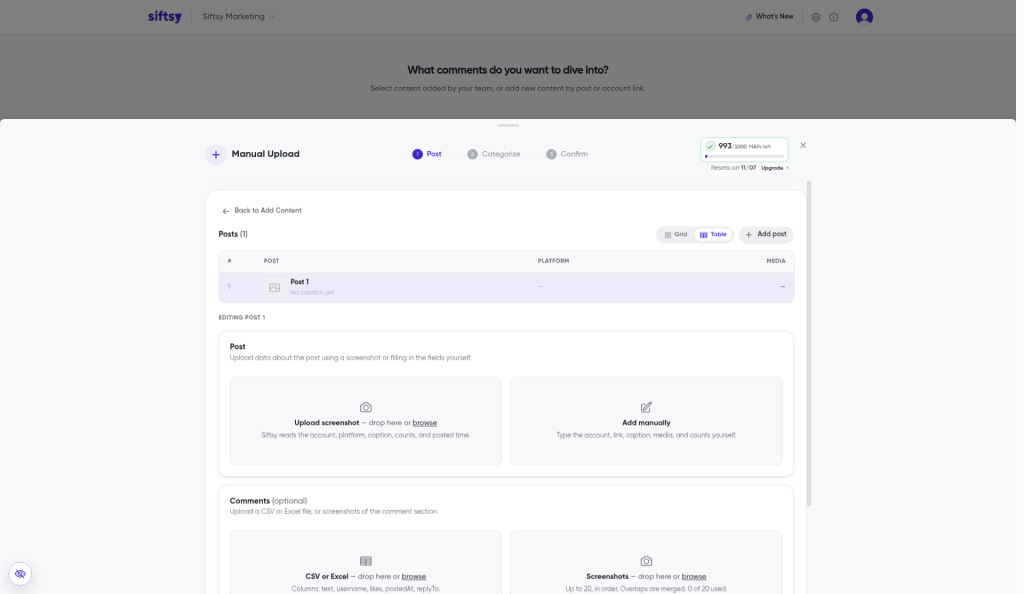
Click Next to continue to Categorize and Confirm.
What's next
Manual Upload is one of several ways to add content. For posts Siftsy can fetch, see How to add posts or How to bulk add posts, and check Supported Social Platforms for the platforms Siftsy pulls comments from on its own.